

AI Image Cleaner
AI Image Cleaner removes people, clutter, watermarks, and text with brush-mask AI inpainting. Three guest cleans per IP; Google sign-in unlocks starter and daily credits.
DR:DR 17(Domain Rating by Ahrefs)
Added on:Nov 05, 2026
Pricing:Freemium
What is AI Image Cleaner?
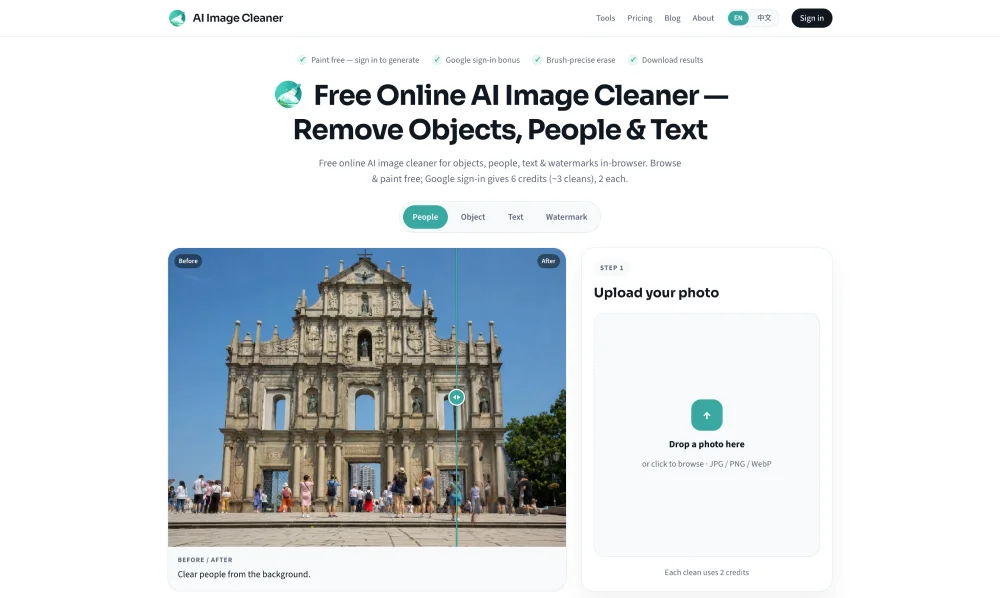
AI Image Cleaner is a browser-based photo cleanup tool for removing unwanted details without desktop software. It erases background people, distracting objects, power lines, text, date stamps, logos, and watermarks. Unlike a broad filter, AI Image Cleaner lets users target selected areas with a brush mask. Its AI inpainting technology reconstructs the covered space using nearby colors and textures. AI Image Cleaner focuses on precise retouching, not full graphic design or one-click automatic object detection. Upload a JPG, PNG, or WebP image, paint over the area to remove, and start cleaning. Brush controls provide direct selection, while eraser, undo, and redo options help refine the mask. AI Image Cleaner processes the selected region and shows a before and after preview for review before download. Oversized image edges are resized automatically, and credits are refunded when a job fails. AI Image Cleaner works in-browser. Typical uses include removing photobombers from travel photos, clearing clutter from product pictures, erasing wires from landscapes, and deleting unwanted captions or date marks. The brush-first approach gives users control over thin lines, partial people, and overlapping distractions that automatic selection can miss. For better results, AI Image Cleaner recommends covering the entire object and extending the mask slightly beyond its edges. Very large selections may be harder to fill naturally because less surrounding detail is available. AI Image Cleaner suits quick edits. Users can browse, upload, and paint without signing in. Google sign-in provides six one-time starter credits, and each successful cleanup uses two credits. Afterward, AI Image Cleaner offers monthly or annual subscriptions and one-time credit packs for occasional editors, creators, sellers, and teams. Its privacy policy states that uploads are not sold or used to train third-party AI models. Overall, AI Image Cleaner is a practical online object remover and photo eraser for precise, mask-guided edits.
Key features of AI Image Cleaner
- Brush-based object and people removal
- AI inpainting for natural fills
- Text, stamp, and watermark removal
- Eraser, undo, and redo controls
- Before and after result previews
- Quick browser uploads and downloads